Krutidev vs Mangal (Unicode): Why Hindi Text Turns into English
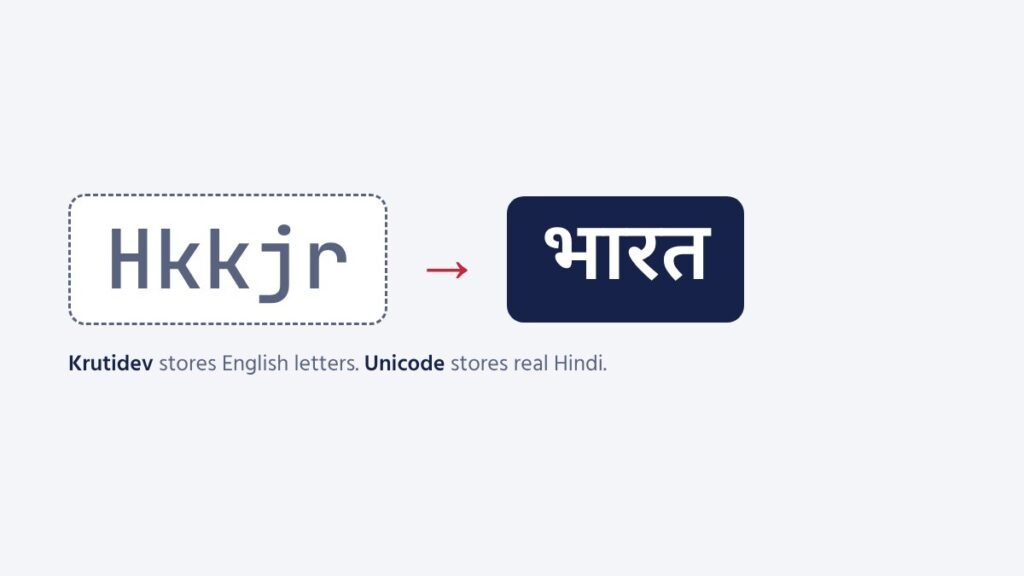
You receive a Hindi document and it reads Hkkjr ljdkj instead of भारत सरकार. Or you paste Hindi from Word into WhatsApp and it turns into gibberish. The cause is almost always Krutidev.
What Krutidev actually is
Krutidev 010 is a Hindi font from the time before computers handled Hindi properly. It stores English characters and simply draws them as Hindi shapes: H is drawn as भ, k as ा, j as र. On a computer with the font, Hkkjr looks like भारत. On any device without the font, you see the English letters.
What Unicode (Mangal) is
Unicode stores the real Hindi characters: भ, ा, र, त. Any device with any Hindi Unicode font shows them correctly. Mangal is Microsoft’s Unicode Hindi font, which is why people say “Mangal” to mean Unicode Hindi. Nirmala UI, Noto Sans Devanagari and Kokila are other Unicode fonts showing the same text.
Which should you use?
| Use | Choose |
|---|---|
| Websites, email, WhatsApp, Google Docs | Unicode |
| Government portals and e-office | Unicode |
| Searchable documents | Unicode |
| Old printing press workflows, some court offices | Krutidev (if they insist) |
| Exams that specify Krutidev | Krutidev / Remington, as the notice says |
Converting between them
Use our Krutidev to Unicode converter: paste the English-looking text and copy the Unicode Hindi. For the other direction, the Unicode to Krutidev converter. The converters handle the two tricky parts automatically: the short i (ि), which Krutidev stores before the letter, and the reph (र्), which Krutidev stores after it.
Keep typing like Krutidev, get Unicode
If your fingers know Krutidev, you do not need to relearn. The Remington GAIL keyboard uses the same keys and types Unicode directly. Try it on the Remington Hindi typing test.
Practise now
- English Typing TestFree online English typing test with exam-style passages. Check net WPM, accuracy, KDPH and full or…
- Hindi Typing TestFree Hindi typing test online with Mangal (Inscript) and Remington GAIL keyboards built in. Hindi passages…
- Exam Typing TestsFree typing test simulations for SSC CHSL, SSC CGL DEST, CPCT, RRB NTPC, DSSSB, UPSSSC, Supreme…
- Typing TutorFree online English typing tutor with 12 step-by-step lessons: home row, top and bottom rows, capitals,…