Inscript Hindi keyboard chart
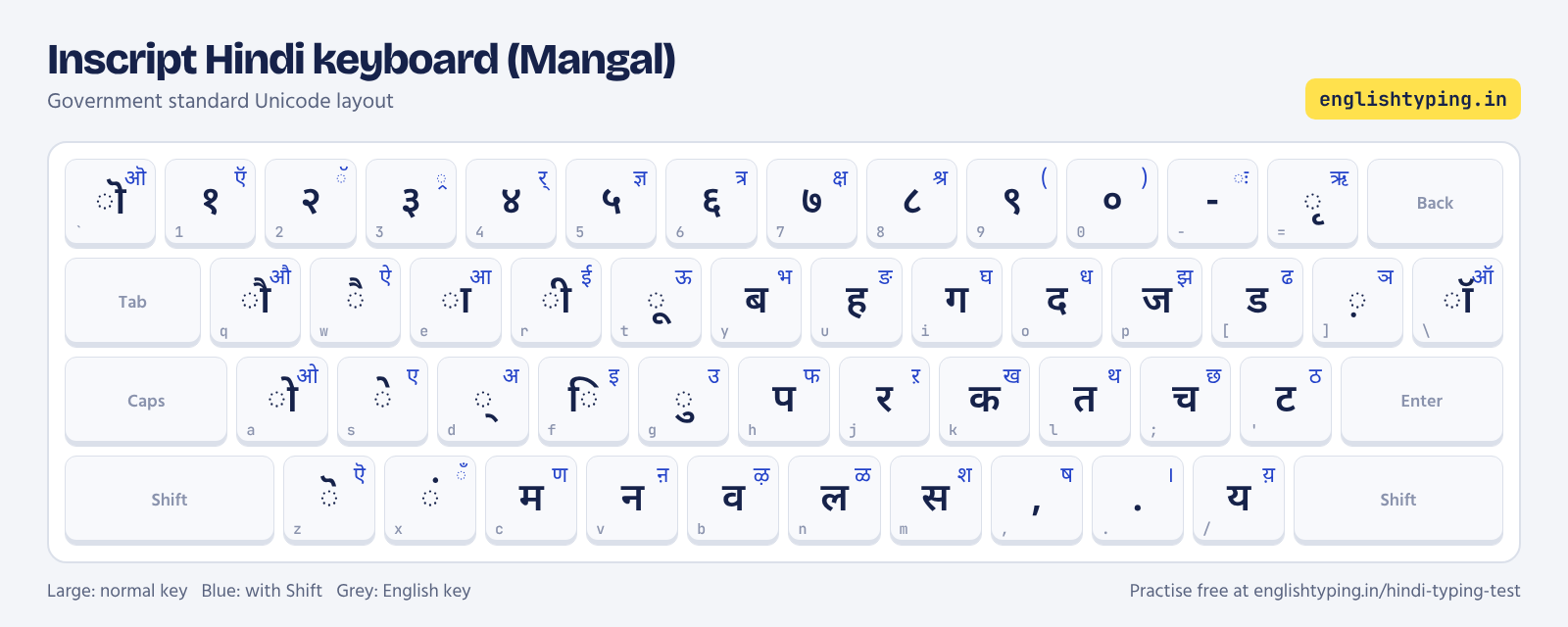
Inscript groups vowels and matras under the left hand and consonants under the right. Aspirated consonants are on Shift of the same key: क / ख, ग / घ, त / थ, द / ध, प / फ, ब / भ, च / छ, ज / झ, ट / ठ, ड / ढ.
Remington GAIL (Krutidev) keyboard chart
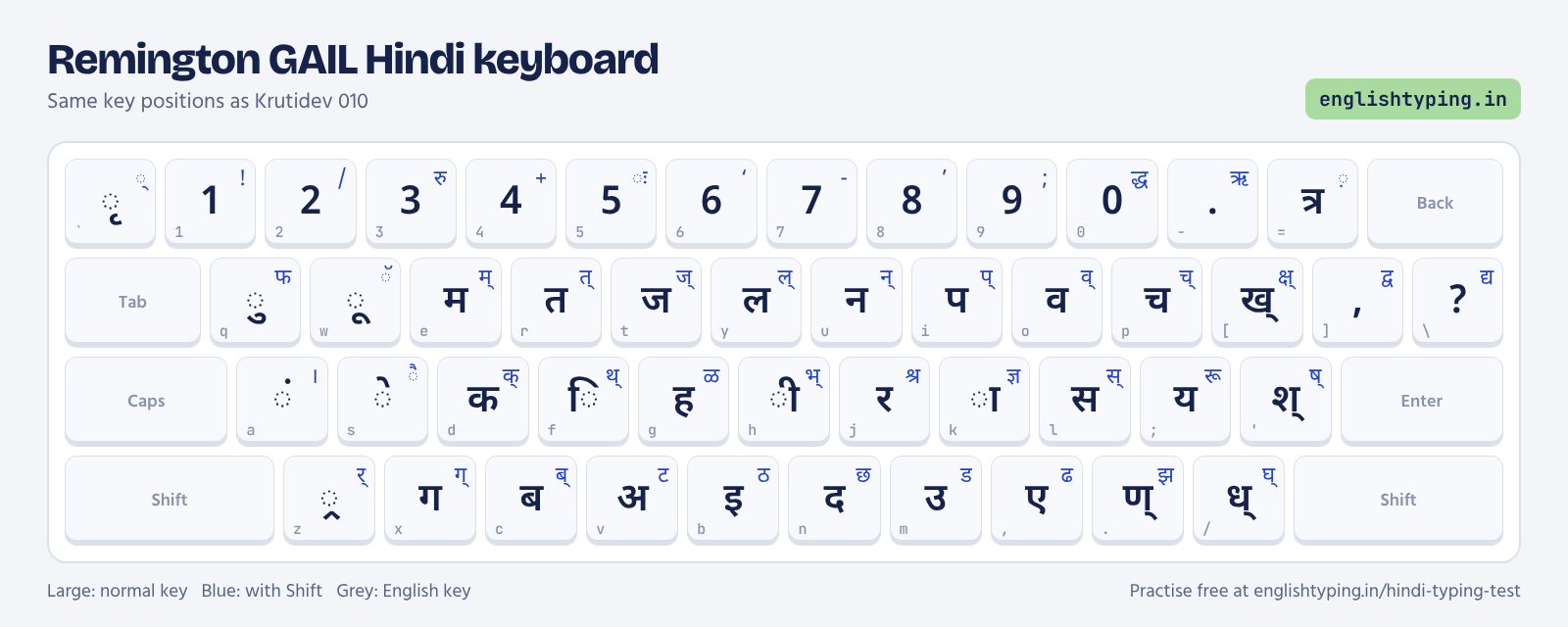
Remington follows the old Hindi typewriter. Many full letters are made from a half letter plus k (the ा stroke): [ + k = ख, H + k = भ, F + k = थ.
How to add a Hindi keyboard on your computer
- Windows 10 and 11: Settings, Time and language, Language and region, Add a language, Hindi. Under keyboard options choose Hindi Traditional (Inscript). Switch with Win + Space. For Remington, install the Remington GAIL keyboard provided by your exam or institute.
- Mac: System Settings, Keyboard, Input Sources, add Hindi - Devanagari (Inscript).
- Android: Gboard, Languages, add Hindi and choose Hindi or Hinglish input.
Frequently asked questions
Which Hindi keyboard is used in government exams?
Inscript (Mangal) is the government standard. Remington GAIL is also allowed in SSC and CPCT, and Krutidev in several state exams.
Can I download the Hindi keyboard chart?
Yes. Right-click the chart image and save it, or print this page.